

Gartner’s most recent survey of B2B buyers found that 67% prefer a rep-free experience. In plain English, two thirds of the people your sales team is chasing would honestly rather not talk to your sales team. They want to see the product, click around, and decide for themselves.
That’s a real problem if your only product demo is a 30-minute live call with a sales rep. But it’s a real opportunity if you can put a polished, on-brand demo in front of every visitor at the moment they’re curious. AI product demos are how more and more teams are doing exactly that.
The category is messier than the term suggests. There are at least 3 different things people mean when they say “AI product demo.” Here’s a field guide.
When the Live Demo Ruled
Not long ago, product demo could mean a couple things. Either a 30-minute Zoom with a sales rep doing “as you can see here…” over a screen-share or a generic 2-minute video on the landing page that every visitor saw the same way, regardless of role, industry or use case.
Both still exist and still work in the right context. But neither was built for a buyer who wants to evaluate the product before they ever fill out a contact form. The first requires the buyer to get in touch, and the second is often too much marketing fluff to be helpful.
Interactive product demos, screen-recording tools and AI video have all become standard parts of the product demo toolkit, partly because a buyer’s evaluation of a tool happens earlier in the journey without sales there to guide them.
The 3 Categories of AI Product Demos
AI product demo gets used as a blanket term for at least 3 distinct product categories. They solve overlapping problems, but they’re not interchangeable, and most teams end up using more than one. Knowing which is which keeps you from buying a clickable walkthrough tool when you actually needed a video generator (or the other way around).
Interactive Click-Through Demos
This is the Storylane, Navattic, Arcade, Reprise category of interactive product demos — AI-powered tools that capture screenshots or live screen recordings of your product, stitch them into a clickable flow (or a sandbox environment buyers can poke around in), and let you add tooltips, hotspots and short narration.
Think of them as a guided product tour with the chrome of your actual UI. The buyer clicks through at their own pace, hits hotspots that explain new features and gets a feel for the product without anyone pushing them toward a sales call.
Where AI shows up is mostly in the editor: auto-generated step-by-step captions, AI voiceovers on the walkthrough and, increasingly, AI-generated copy for the tooltips themselves. The output is HTML you embed in your site, share over email or drop into a sales sequence. Strong for the top of the funnel and presales motion. Less suited to a polished video on a landing page or running as a video ad.
AI Avatar Walkthroughs
This is the Synthesia and HeyGen category, repurposed for product. Your script (or a prompt that becomes a script) plus a synthetic presenter produces a talking-head video of an avatar narrating your product story.
AI avatars have come a long way and can deliver demo content fluently in dozens of languages, which makes them appealing for global onboarding, customer support libraries and internal enablement content where you’d otherwise need to film a real person 40 times.
There’s a trade-off. An avatar standing in front of your UI is a different format from a true product walkthrough. It narrates the product rather than showing it. Great for a quick explainer. Less useful when the buyer wants to see the actual click path.
AI-Generated Product Demo Videos
This is the category you’ll find us in. Instead of a clickable HTML walkthrough or an avatar reading a script, an AI video agent assembles a full product demo video — script, storyboard, animation, voiceover, transitions, footage of the product in action and localization if needed. The output is a high-quality video file you can drop on a landing page, send in an email, embed in your in-app onboarding flow or run as an ad.
With Lucas AI Video Agent, the workflow starts with a prompt. That can be text, an image, a document or website. Pulling a product webpage or PDF is a good place to start, and because Lucas was built for scale (at Idomoo, we regularly generate millions of videos in real time), you can feed Lucas a webpage for every product in your catalog. Why not?
What used to take months of video production happens in days or even hours. That speed is what makes AI-generated product demo videos a massive win — and a huge cost savings.
Where AI Product Demos Pay Off
This isn’t hypothetical. Teams are already using AI product demos to do work that didn’t pencil out before. The use cases below are the biggest ones. Each is a place where a bland webpage video or a single live demo won’t get you where you need to go.
Personalized Outbound at Scale
A sales rep can record one Loom for a top-10 account. They can’t record 200.
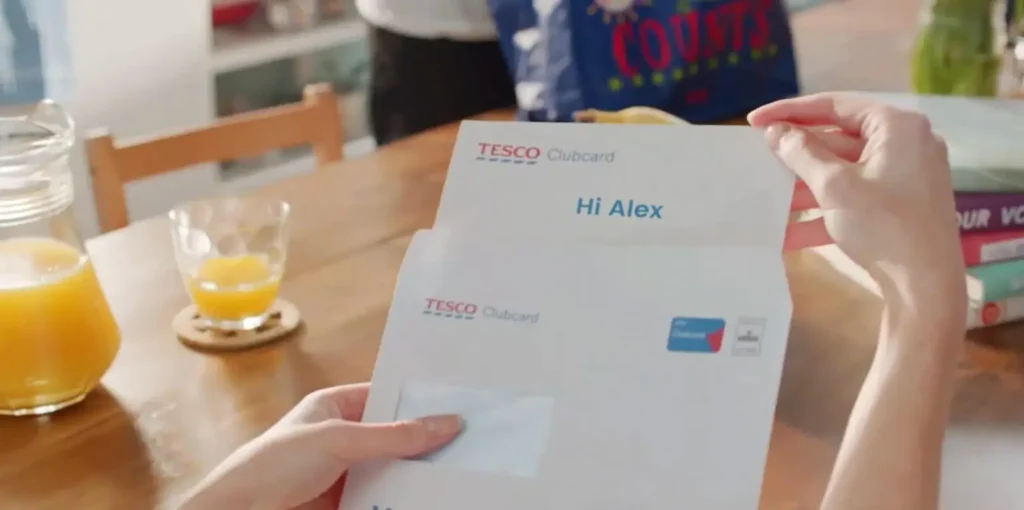
With AI-generated demo videos, your sales team can send each account a demo that opens with their logo, calls out the integration they care about and references the specific pain points relevant for them. The body of the video is the same polished demo content, automated end to end and personalized where it matters.
Onboarding and In-App Walkthroughs
The first product experience a new user has is rarely a live call. It’s a setup wizard, a welcome email and a couple of in-app tooltips. AI product demos slot into all of these.
Short, real-time tutorials triggered by what the user just did. A 90-second welcome video personalized for their company. An in-app walkthrough that explains new features the moment they launch. Done well, you reduce churn during onboarding (a comment point of friction) and turn it into a memorable moment in the customer journey.
Multilingual Demos for Global Markets
If your product sells in 20 countries, you might need product demos in 20 languages. Filming, dubbing and re-recording voiceovers for each market used to be hard, not to mention pricey. Now, AI video localization is easy. It’s the same demo but in whatever language the buyer needs.
Sales Enablement and Training Libraries
Post on

Product demos are generally for buyers (of course), but consider how a good product explainer can help current customers and even your own team. Customer support content and internal training all need video, but the budget is seldom there — it goes to big marketing or ad campaigns.
But a good AI agent can easily create short, high-quality walkthroughs for tutorials, FAQs and step-by-step training videos that slash support call volume. And you can use similar videos for sales enablement and training, helping your team better understand what you offer.
When a new feature launches, the same workflow produces an updated walkthrough for the marketing site, a 60-second sales enablement clip and an in-app tutorial, all from the same source brief.
Picking the Right AI Demo for the Job
The 3 categories above aren’t competitors as much as they are different tools for different parts of the funnel.
Buyers in pre-sales who want to click through your UI? Interactive walkthroughs are usually the right call. A product demo for prospective customers in 12 languages? AI video. A talking-head explainer for an internal training module? An AI avatar will do.
Whichever you choose, these are the criteria to look at.
Output Format
Are you delivering your demo in-app, via email or SMS, on a landing page video or somewhere else? Click-through demos give you embeddable HTML. Avatar tools and AI video platforms give you a video file. Whatever you choose, make sure it’s omnichannel, which is what most consumers say they want.
Personalization Depth
Most demos are generic. One way you can stand out? Make it personal.
Imagine a demo where the script changes to reflect the use case relevant to that buyer, maybe even greets them by name. The deeper the personalization, the more of an impact you make on the viewer. Clickable-demo and avatar tools weren’t designed for true 1:1 personalization at scale. At Idomoo, it’s what our platform was built on.
Workflow and Integrations
Where does the demo content come from, and where does it go? An AI demo tool that doesn’t plug into your content library, your CRM (if personalized), your existing brand assets and your team’s day-to-day workflows will make team members do too much manual work. The good ones slot into what your product team and marketing teams already run.
Meeting Buyers Where They Are
Two thirds of your buyers don’t want to wait for a sales call to see what your product can do. So show them, in the format, language and depth of personalization the moment calls for. That’s exactly what Lucas does.
If you’re trying to figure out which AI product demo your team needs, we’d be happy to help.