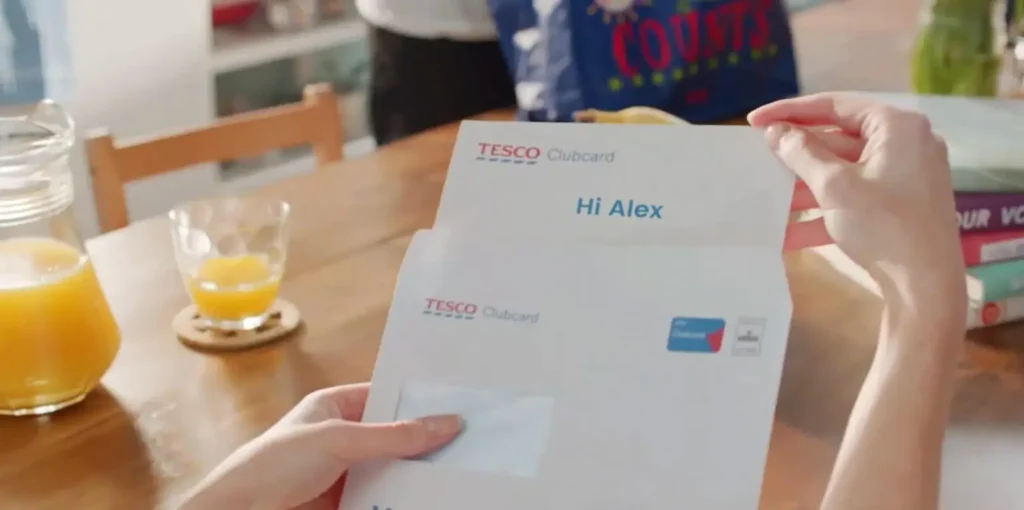


Not long ago, AI video meant a 3-second clip that someone posted to socials with the caption “this is wild.”
And it was wild. As a16z recalls, 2023 was the breakout year for AI video, the year that public text-to-video models gained traction. The catch was that most of them generated only short clips, the quality was all over the map, and character consistency, as a16z noted, had “yet to be cracked.” Faces melted. Hands sprouted spare fingers. It was fun but not something you’d put in front of a client.
That was the same year we introduced Lucas, our AI video agent, to the world. A lot has changed since. The clips are longer, the motion is smoother, and many businesses have adopted professional AI video generators to speed their output.
But figuring out which AI video generator to use is harder than it sounds because the label gets applied to a range of tools, often with very different jobs.
So let’s sort them out. Once you know the categories, picking the right one for your team gets a lot simpler.
The AI Video Generator Landscape, Sorted
The phrase “AI video generator” covers at least 4 different kinds of tools, and they’re built for different outcomes. You might not realize this until a free trial leaves you frustrated that the tool can’t do the one thing you needed.
The categories below aren’t in any particular order. They solve different problems, and knowing which problem you have is a critical part of the decision-making process.
Templated AI Video Makers
This is the Canva-adjacent corner of the market, home to AI video editors like InVideo. An AI video maker in this category hands you a library of templates, you swap in your text, your logo and a few clips, and you get a clean, finished video fast.
The output is editable in the sense that you can change copy or swap a stock shot. The limitation is rigidity. Everything stays locked to the template, so the result rarely looks exactly like your brand and never quite fits your content. Square peg, round hole, as the saying goes.
For a quick social post or an internal update, that trade-off is fine. For a broader campaign, the quality is often lacking.
Generative AI Footage Models
These are the headline-grabbers, the text-to-video and image-to-video models like Runway, Veo, Pika, Adobe Firefly, Sora and Seedance.
Feed them text prompts and they generate novel footage that never existed before, which is genuinely remarkable. Generative AI has gotten good at cinematic video, realistic motion, camera motion and even keyframes that let you steer a shot.
The catch is what you get back. The output is a flat file. You can’t meaningfully edit it, you can’t personalize it for 100,000 customers, and you can’t enforce brand standards across it. Want one different line of copy? You regenerate from scratch and hope the new clip matches the old one.
For B-roll, mood films and concept work, they’re a powerful addition to your toolkit. For anything that needs to be exact or repeatable, it’s a different story.
Avatar-First AI Video Platforms
Then there are the avatar-led tools, the talking-head category that leads with a presenter as the product.
Platforms like Synthesia and HeyGen built their reputation here. AI avatars can be photorealistic or animated, and they’ve come a long way. They deliver scripts with natural lip-sync, they handle AI voiceovers and voice cloning across languages, and they’re a fast way to produce explainer videos or training videos without a camera crew. If you’ve ever needed to localize an onboarding module into 8 languages by Friday, you understand the appeal immediately.
AI Video Agents
Idomoo deliberately sits in none of those buckets. Strata, our AI foundation model for layered video, treats a video as composable layers rather than a flat file, with footage, animation, voiceover, transitions and dynamic data fields all living as separate, editable elements. Lucas, our AI video agent, drives the full workflow on top of that foundation. The result is video that’s generative where you want novelty, on-brand because the layers stay under your control and personalized at scale because every element can change per viewer. Avatars are one tool in the kit, not the entire pitch.
Here’s an example of what that looks like in practice. Lucas created this video for Modern America Campgrounds, a loyalty campaign that recaps each member’s points earned, savings and more. It even ends with an interactive CTA inviting members to check their account balance and continue the adventure.
What Professional Means for AI Video Generators
The word “professional” gets thrown onto every product page, so it’s worth pinning down.
A professional AI video generator is one you can put in front of a paying customer (or your CEO) without worry. That means a few concrete things:
- It means consistency, so your 500th video looks as polished as your first, including being accurate (we use retrieval-augmented generation).
- It means control, so a small copy change or logo update doesn’t force you to start over.
- And it means quality, from the video length to the script and animation to how it reflects your brand beyond just fonts and colors.
This is where the layered approach pulls ahead. Because every element stays editable in Strata’s layered video compositions, a brand color, legal disclaimer or price point can update across an entire campaign without the need to rerender. With a flat generative file, the same change means rolling the dice on a fresh prompt. Professional work needs the boring guarantee that the thing you approved is the thing that goes out, every time.
There’s also the matter of how the video gets made. Our AI video agent carries the production load end to end. You’re still in the loop, dropping in the prompt and making edits along the way, while Lucas covers everything from pre- to post-production, from the storyboard to motion graphics. That’s how months of video production turn into days or even hours. You’re directing, not building from a blank timeline.
Matching the Tool to the Job
All of that’s well and good, but if you’re like me, you want to know where this pays off for your team. Show me the work, right? Here’s how the categories map to the jobs marketers and content creators have, so you can match the tool to the outcome instead of the hype.
Marketing Videos and Video Ads
For marketing videos and video ads that run across channels, the make-or-break factor is variation. Anyone doing digital marketing at scale knows the feeling. One hero concept needs to flex into dozens of cuts by audience, offer, region and aspect ratio, from a square for the feed to vertical for Reels and TikTok.
Templates can produce variants but lock you to their layout. Generative models give you striking individual shots but no clean way to mass-produce on-brand variations. A layered solution lets you design once and let the data drive the rest, so personalization and brand control travel together through every cut.
Check out how Lucas learned Headspace’s animation style from some samples of their content for this video ad.
Pretty cool, right? Our legal team wants you to know that this video isn’t sponsored by, affiliated with or endorsed by Headspace, but you can head over to our AI Video Ads page if you want to see more of what Lucas has created.
Explainer and Product Demo Videos
Explainer videos and product demos live or die on clarity, and clarity benefits from a consistent visual style. You want the same look across a whole series, with animation, voiceover and on-screen data that you can update the moment a feature changes.
Avatar tools are a quick option when a friendly presenter carries the message. For demos that need to mirror a live product or personalize to each prospect’s account, the ability to edit layers and feed in real data is what keeps a demo accurate instead of generic.
Training and L&D Videos
For L&D, the daily reality is updates and reach. Course content changes, and a global team needs it in their own language. Here the criteria are multilingual voiceovers for everyone wherever they sit, interactivity so a module can include polls or branching, content updates that a non-technical owner can make without re-opening a project and team collaboration so several owners can work on the same module at once. Interactive Video turns a lecture into something a learner participates in, and personalization means the same course can greet each employee by name and role.
Curious how that works in practice? Here’s an explainer on what Lucas does for L&D. Fittingly, Lucas made it.
ROI Without the Hand-Waving
Speed is the headline number, but it isn’t the only one. When we put Lucas to work on our own AI video to promote Idomoo, we cut production time and costs by 99%. That sounds like an exaggeration until you’ve sat through a traditional production timeline.
The thing is, for the cost savings, we were looking at just the production cost for our last video vs. what we did with Lucas. But the time savings is a cost savings too. All that work done by our internal team to find the freelance video animator, write a brief, coordinate with them, months of revision rounds — it collapsed into a few minutes.


And the biggest returns show up in results. Our videos have driven measurable lifts for brands across industries and use cases, from sales to retention to customer engagement.
Bottom line? You need more video content and better video content. Both, not one at the expense of the other.
So Which Tool To Choose?
It’s fair to feel skeptical of any vendor that claims to do everything. So here’s the version that matters. If you only ever need quick social cuts from a template, a simple AI video maker may be all you require, and there’s no shame in keeping it simple. If your work lives and dies on novel cinematic footage and nothing needs to be personalized or repeated, a generative model belongs in your stack. If you just want an avatar video, get an avatar video tool.
But if you need video that can do more — be personalized, 100% brand compliant, drive results across thousands of viewers and a dozen channels, save time and money without sacrificing quality — you should look at an AI video agent like Lucas.
A professional AI video generator should take the parts of production that used to take months and hand them back to you in hours, without complicating your life or giving up the quality your brand is known for.
Quick Recap
Yes, the tools have grown up since the days of melting faces and gravity-optional objects. The question now isn’t whether AI video is good enough. It clearly is. The question is what tool works for you, making it easy, scalable and, ultimately, effective.
If you’re weighing your options and want to see what end-to-end AI video agent looks like in practice, we’d love to introduce you to Lucas.